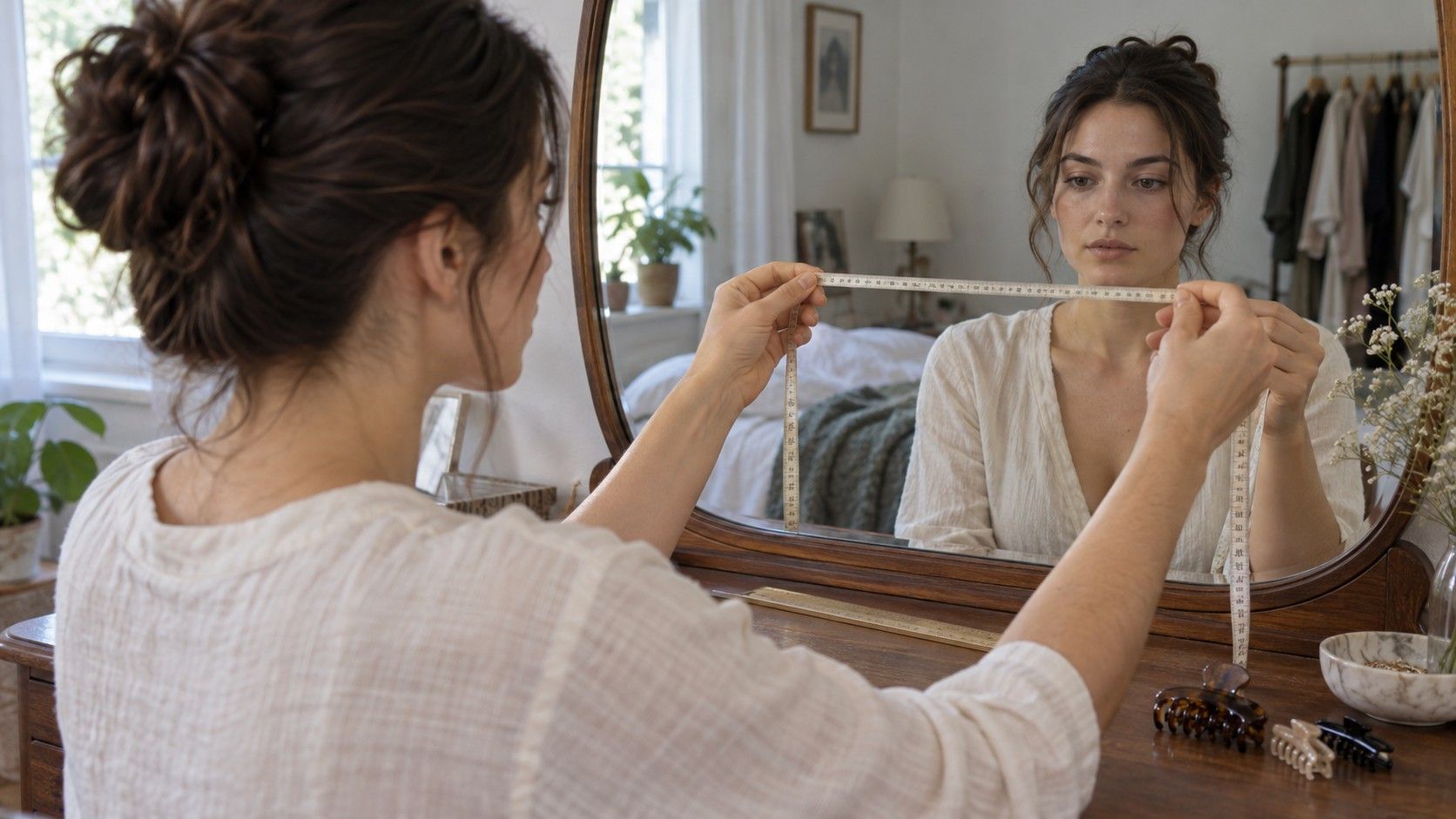
When a face shape calculator produces a surprising result, repeating the same photograph and the same numbers may only repeat the same problem. A curved tape reading, a hidden jaw corner or a close camera can change the proportions before the tool classifies them. The useful response is to inspect the inputs in a sensible order. Fix the setup first, check the landmarks next, and only then decide whether the remaining disagreement comes from the calculator's categories.
A tape around the cheeks is not a straight width
The most tempting mistake is also easy to understand: place a flexible tape across the face and let it follow the skin. Around the cheeks and nose, that route is longer than a straight line between the endpoints. If the calculator expects a frontal cheekbone span, the wrapped value describes something else. The resulting face may appear wider in the numbers than it does in the image, changing the length-to-width relationship.
Check whether the tool asks for physical tape measurements or straight spans on a photograph. Follow that method throughout. Do not combine image-based forehead width with a curved tape measurement around the jaw. Even when both values are written in centimetres, they may represent incompatible routes. The unit alone does not make the measurements comparable.
For image measurements, draw straight lines on one frontal photograph and keep the image proportions unchanged. Pixel values can be used for internal ratios; converting them to real-world length is unnecessary for that purpose. For a physical method, follow the stated endpoints and keep tools away from your eyes. A printed image is often easier to mark safely than a face in a mirror. Write down the method so you do not accidentally switch during a second attempt.
A close selfie or tilted head changes the view
An outstretched-arm selfie is convenient for sharing, but it is an uncertain basis for comparing facial spans. Features closer to the camera are represented differently from those farther away, and the effect depends on viewpoint. Moving the camera away and cropping afterward gives you a more repeatable setup. Keep it near face height, use a timer, and look straight ahead with a relaxed expression.
Check head rotation before you draw lines. If one side of the face is turned away, its apparent width is reduced. Raising the chin changes the visible lower outline; dropping it can hide the jaw. Unequal ear visibility can be a clue that you are turned, though it is not a demand for perfect symmetry. Use the overall pose and facial midline together. If the picture is obviously angled, take another instead of trying to correct each width by guesswork.
Light matters because you need to see the boundary. A strong shadow on one side may look like a narrower jaw, while a bright reflection can obscure a cheekbone edge. Choose even illumination and remove face reshaping filters or portrait effects where possible. Cropping is fine; stretching the image sideways is not. Once the picture has been stretched in one direction, the relationship between length and width has been changed.
Hair, cheek softness and beard edges can move landmarks
Pull a fringe away from the forehead and clear hair from the temples. Face length often uses the central hairline as its upper point, but a widow's peak or receding hairline makes that choice less obvious. Use a consistent visible landmark and record uncertainty. Do not reconstruct a former hairline because it gives a more familiar result. The calculator can classify the points you enter; it cannot decide which hidden point you intended.
For cheekbones, use the definition supplied by the tool. The widest visible cheek area and a particular cheekbone landmark may not be identical. Soft tissue and lighting can make the boundary difficult to place in a photo. If you select a point near the temple on one side and lower on the cheek on the other, the line may no longer describe a matching span. Check the endpoints as a pair, at a sensible level, before trusting the number.
A beard can hide jaw corners and add apparent width or length. Decide whether you are measuring the underlying face or describing the current grooming silhouette. Those are both useful observations, but they answer different questions. If the jaw corner cannot be seen confidently, note it rather than following the beard edge and labelling it jaw width. Glasses can obscure temple landmarks too, so remove them for the reference image.
| Unexpected finding | Check first | Useful correction |
|---|---|---|
| Face seems much wider in the numbers | Did a tape follow the curve of the cheeks? | Use the tool's specified straight or curved method consistently |
| One side appears much narrower | Is the head turned or one edge in shadow? | Retake a frontal image in even light |
| Length changes between attempts | Did the hairline point or chin position move? | Mark the chosen endpoints and repeat the same pose |
| Jaw width is hard to reproduce | Are hair or a beard hiding the jaw corners? | Record the uncertainty and inspect the contour separately |
| A tiny edit changes the shape name | Is the result near a rule used by this calculator? | Keep stable proportions and allow more than one description |
Different definitions and units can undo careful work
One calculator may ask for jaw width from corner to corner. Another may ask you to measure from chin to one jaw corner and double the result. Do not reuse a value just because both fields say “jaw.” Read the instructions around the field, including any diagram. If no landmarks are explained, treat the output cautiously; you cannot evaluate the result properly without knowing what the input means.
Keep units consistent. A face length entered in millimetres and a width entered in centimetres creates a large error in the ratio. Decimal separators can also cause trouble if a form accepts a dot but interprets a comma differently. Before submitting, read the values back in plain language and inspect any displayed unit.
For ratios taken from one image, keep all dimensions in pixels from that image. Do not take the length from a cropped screenshot and the width from the original unless you know the scale has stayed identical. Screenshots may be displayed or saved at another size. The simplest repair is to measure every span on the same saved picture again.
Repeating measurements should test consistency
Take a second reading by selecting the landmarks again. If you simply inspect the original line, you have checked transcription rather than placement. Write both readings down. A small range can honestly describe an uncertain cheekbone or hairline point. Reporting several decimal places does not resolve the uncertainty; it only makes the answer look more exact than your choice of endpoints supports.
Do not keep moving a point until you obtain the face shape you expected. That turns the calculator into a confirmation exercise. Instead, ask which relationships remain stable across reasonable readings. Perhaps the face is consistently longer than wide and the jaw consistently narrower than the cheekbones, while the forehead and cheekbone widths are close. Preserve those observations even if the category name keeps changing.
One fresh photograph is worthwhile when it corrects an identifiable problem, such as a turned head or hidden forehead. A series of nearly identical selfies adds less value. Compare the broad proportions and the jaw contour after correcting the setup. If the new image is consistent with the old one but the labels differ, the categories or their weighting may explain more than another measurement attempt will.
Know when the result is useful enough
An apparently inaccurate face shape calculator may be using an unfamiliar definition, a poorly placed landmark or a classification rule that does not describe your mixed features well. Separate those possibilities. You can correct an obvious unit error or a curved-width measurement. You may still be left with a long outline and a rounded jaw that fit more than one diagram. That is a reasonable stopping point for a styling tool.
Translate the stable finding into your actual decision. For glasses, try frames that fit at the bridge and temples, then compare the visual effect of rim shape and width. For hair, describe where you want more or less volume and consider your texture and maintenance routine. A category cannot tell you whether glasses slip or whether a cut is manageable before work. Those checks need to happen directly.
Save the unedited photo, the measurement convention and the uncertain points. A short note such as “hairline difficult to place; cheekbones wider than jaw in both readings” is enough to make a later comparison meaningful. Once further measurements stop changing your understanding or your shortlist of styles, leave the numbers there. The goal is a clearer choice, not a perfectly obedient label.